Sales manager tools
Once a team is past a handful of leads a day, the manager's job becomes oversight: every follow-up owned by someone, no lead left ownerless, no stale cards clogging the board. This page covers the team-wide Sales action list, re-assigning follow-ups between agents, surfacing unassigned leads, and bulk archiving. (Working your own follow-ups as a queue is an agent workflow, covered in Leads & CRM.)
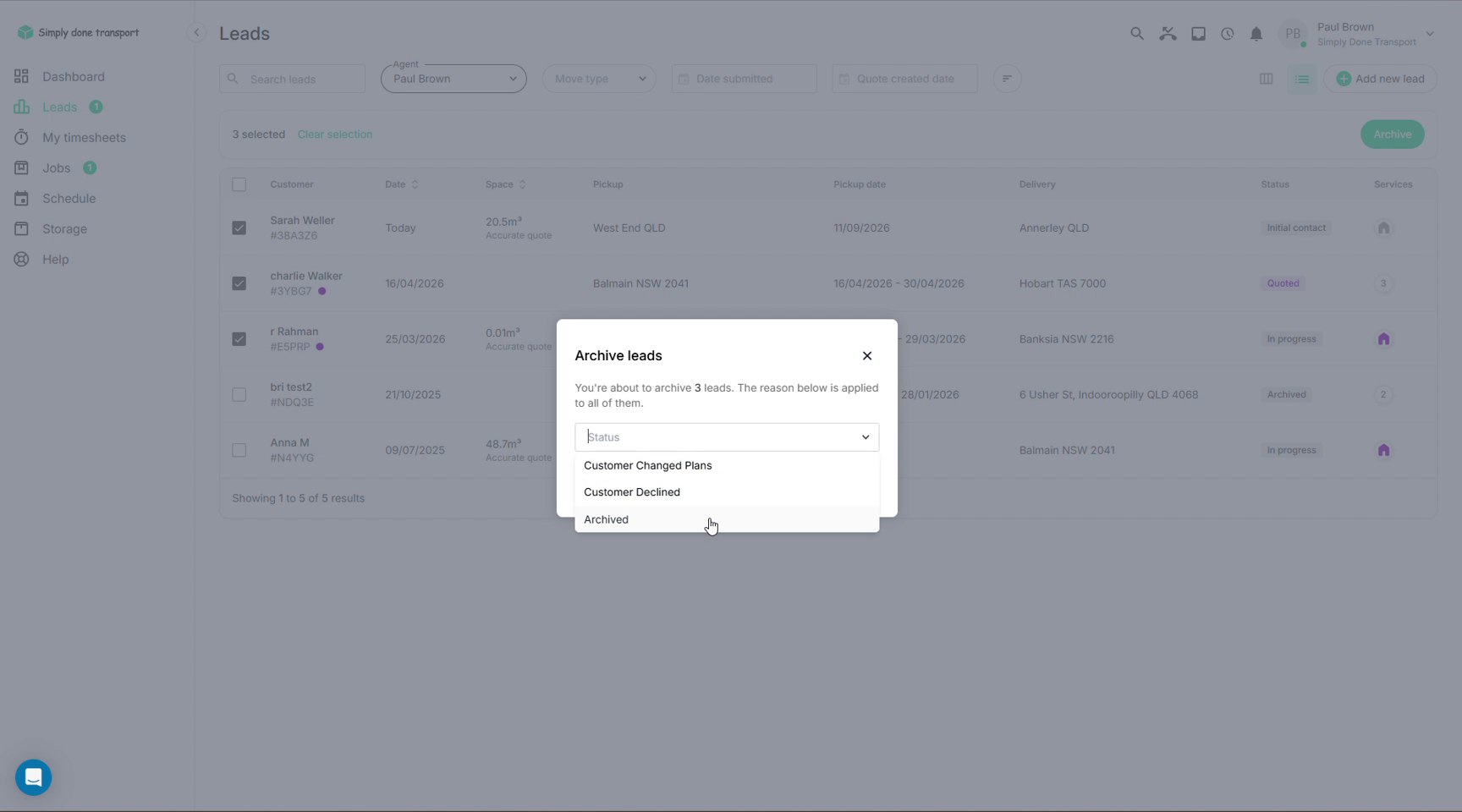
The Sales screen: every action, one list
Sales (left menu) lists every scheduled sales action across the team for the period: the order and route, the action type (call, SMS, email, miscellaneous reminder, site inspection), when it's due, its status, who it's assigned to, and the note left by whoever scheduled it. Filter by date range, assignee or type; sort by schedule to see what's overdue; due dates show red when they've slipped.
The checkboxes drive the two big buttons: select a set of actions and either Re-assign them (below) or Queue them. Queueing is how an agent works their own list one call at a time; that workflow is covered in Leads & CRM.
Re-assigning actions
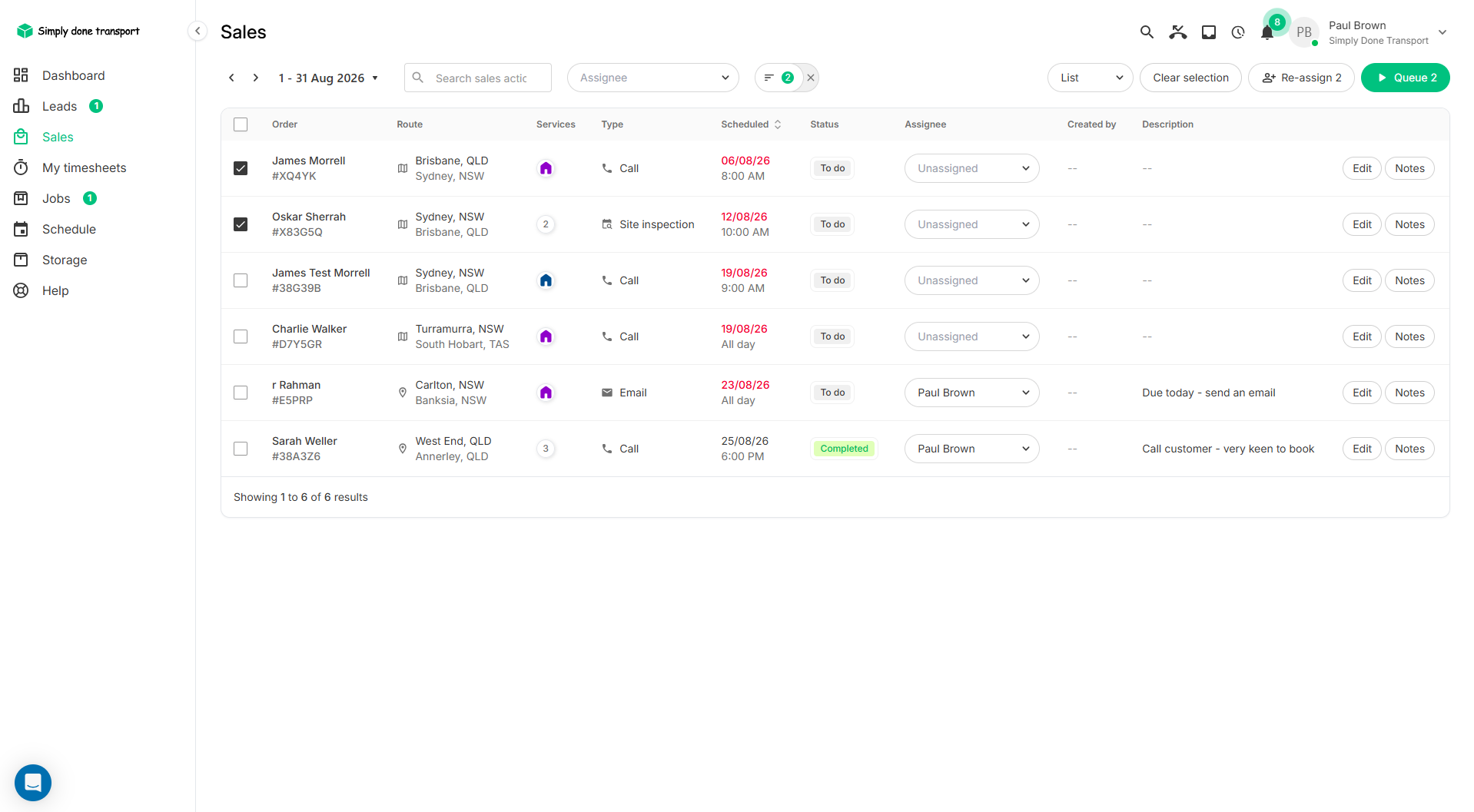
Someone's off sick, or a rep leaves; their scheduled follow-ups shouldn't die with their login. On the Sales screen, select their actions (filter by assignee first), click Re-assign, pick the new agent, and every selected action moves in one go. You can also change the assignee on a single action inline, straight from its row.
Finding unassigned leads
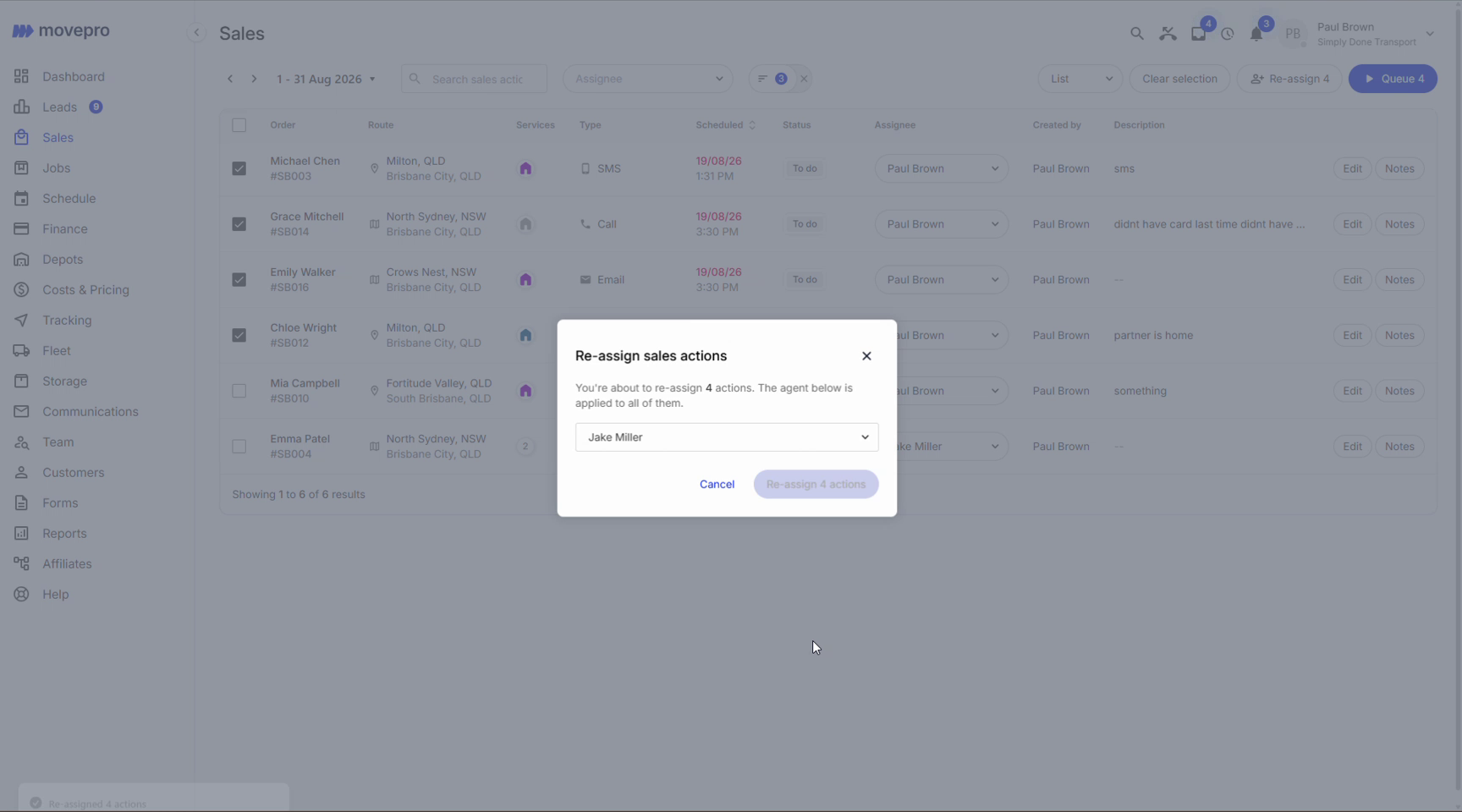
On the Leads board, set the Agent filter to Unassigned to surface every lead nobody owns, across all columns, new through follow-up. It's worth a daily glance: an unassigned lead is a lead nobody is calling.
Bulk archiving
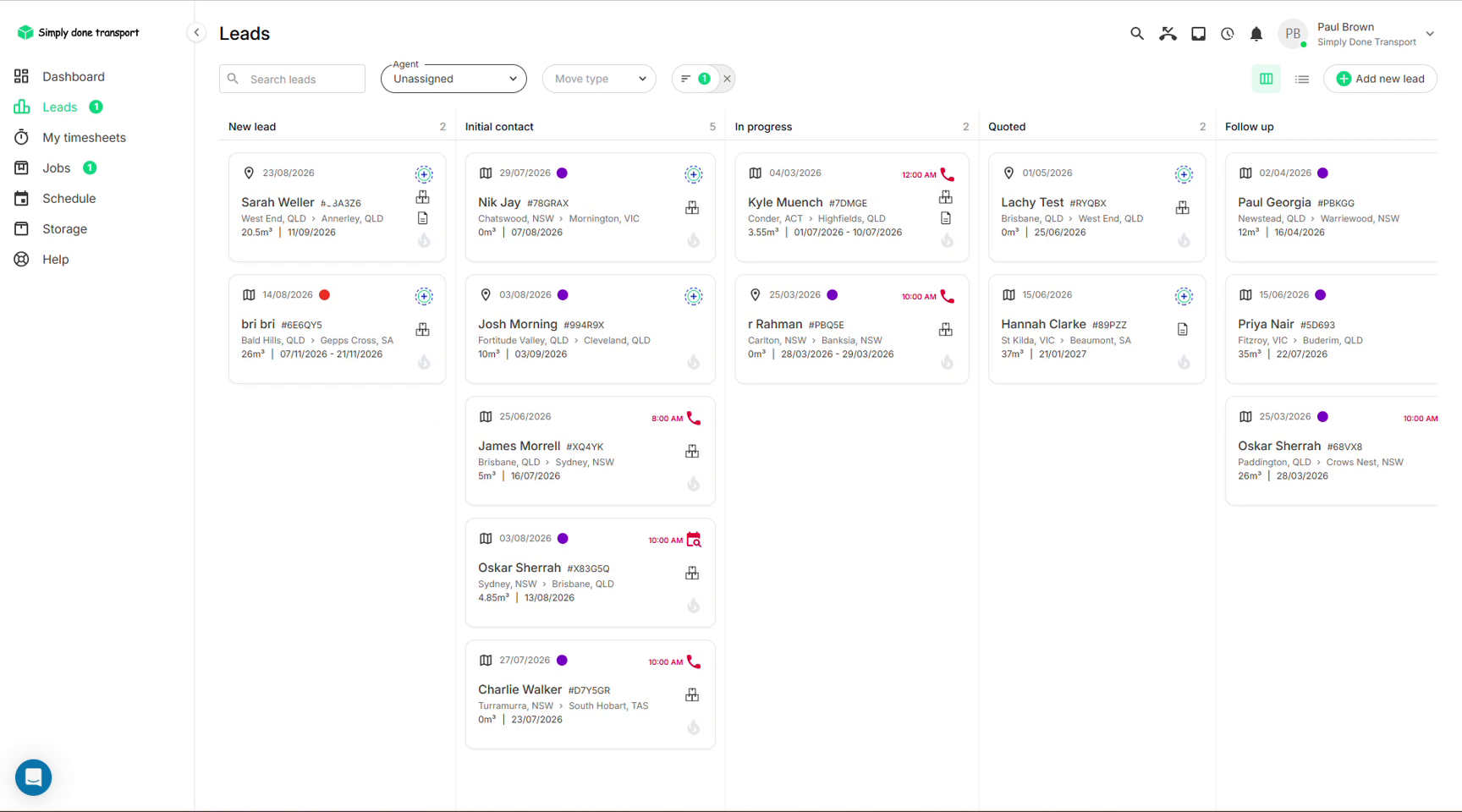
Dead leads dilute the board. Switch Leads to the list view, tick the ones that are done for, and click Archive. One reason (Customer changed plans, Customer declined, or a plain archive) applies to the whole selection, and it's recorded on each order's log. Archived leads leave the board but stay searchable forever: single-lead archiving, the bin and restoring are covered in Leads & CRM → Archive a lead.